

 Continue with Google
 Filters
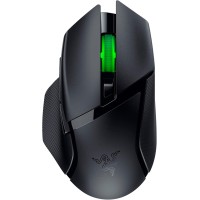
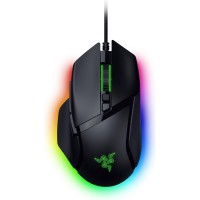
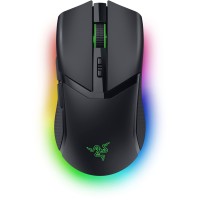
Razer Basilisk V3 Pro 35K Wireless Gaming Mouse - Black

Click image to zoom in


Razer Basilisk V3 Pro 35K Wireless Gaming Mouse - Black
-
Price:FL 425.00
As low as FL 51.89/month with
 Learn more
- Only 2 left in stock - order soon.
-+
Description:
The Razer Basilisk V3 Pro 35K is a premium wireless ergonomic gaming mouse engineered for competitive gamers who demand precision, customization, and performance. Featuring Razer's advanced Focus Pro 35K Optical Sensor Gen‑2, customizable controls, and immersive Chroma RGB lighting, it delivers exceptional responsiveness across a wide range of gaming genres.
Designed with a comfortable ergonomic right‑handed shape, the Basilisk V3 Pro 35K includes multiple programmable buttons, HyperScroll tilt wheel functionality, and versatile wireless connectivity. Whether you're playing FPS, MOBA, RPG, or productivity applications, this mouse offers extensive customization and industry‑leading performance.
Key Features / Specifications
- Razer Focus Pro 35K Optical Sensor Gen‑2
- Up to 35,000 DPI sensitivity
- Ergonomic right‑handed design
- Razer HyperSpeed Wireless technology
- Bluetooth connectivity support
- Wired USB Type‑C mode
- Multi‑device connectivity options
- 13 programmable controls
- HyperScroll Tilt Wheel with free‑spin and tactile modes
- Mechanical Mouse Switches Gen‑3
- Razer Chroma RGB lighting with multi‑zone illumination
- Onboard memory profiles
- Black color finish
- Designed for competitive gaming and productivity
What's in the Box
- Razer Basilisk V3 Pro 35K Wireless Gaming Mouse
- USB Type‑C Charging Cable
- HyperSpeed Wireless USB Receiver
- User Documentation
See more product details